
RadKeys
Your keys for Lightroom, plus the tools it’s missing.
Give any slider, command or preset a key of your own. Then pick a series shot in the same light and move all of it at once.
Version 1.0 · For Lightroom Classic · macOS 14 or later
Every slider, one key
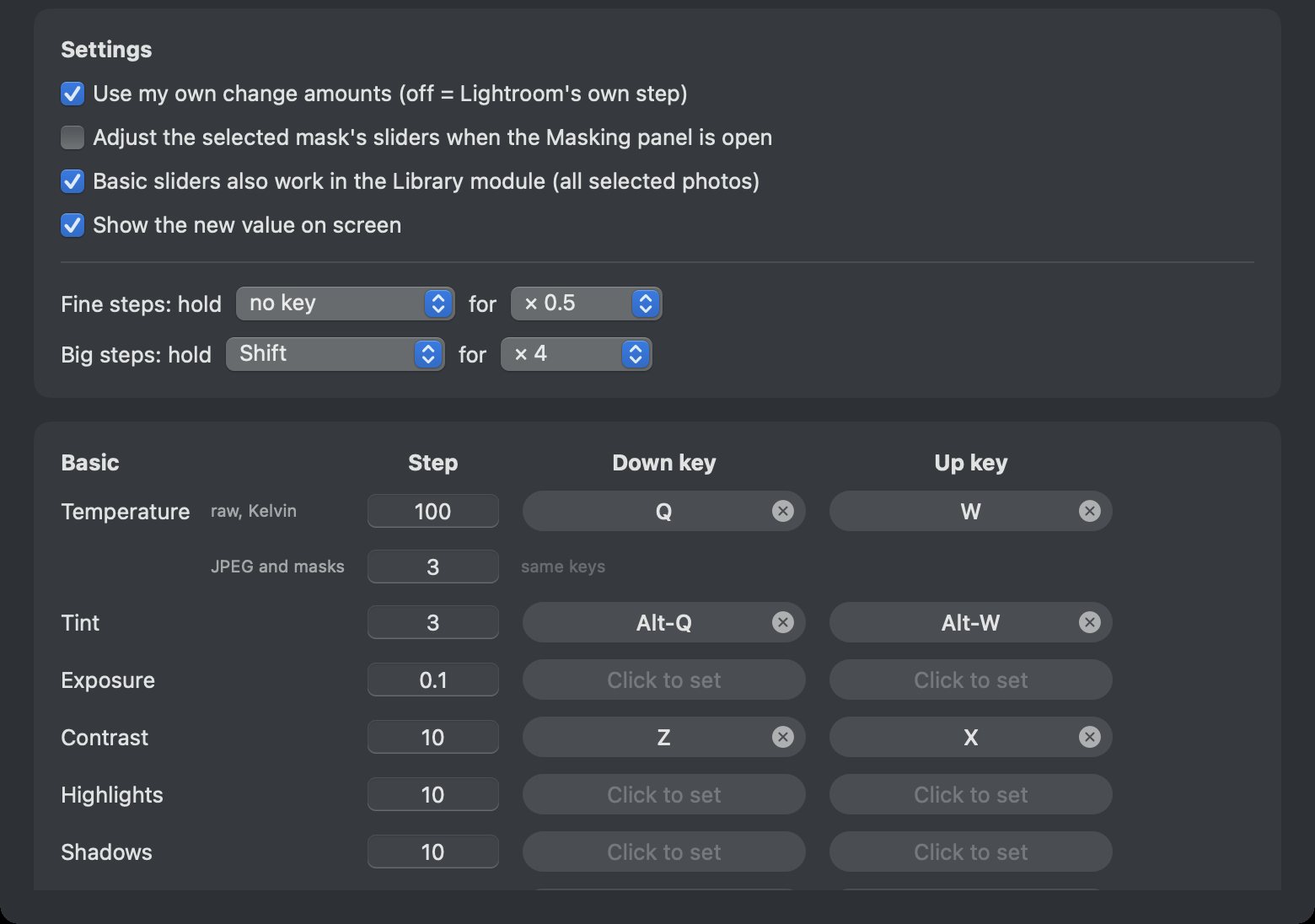
Temperature, tint, exposure, contrast, whites, blacks — and every slider past them: HSL, detail, lens corrections, transform, grain, calibration. Tap a key to nudge it by the amount you choose, and hold Shift for bigger steps.
The same keys work in the Library module, where they move every selected photo, each from its own setting, so a set you already balanced stays balanced. A small overlay in Lightroom shows the new value, and when more than one photo changed, how many.
Move a whole series at once
You know which photos were shot in the same light; Lightroom doesn’t. Select them, and the RadKeys panel evens them out first (exposure from each frame’s shutter, aperture and ISO, white balance averaged), then moves all of them together as you drag. You see it live on the photo in front of you, and letting go applies the same change to the rest.
Every drag is one undo. The panel floats over Lightroom and never takes focus from it.
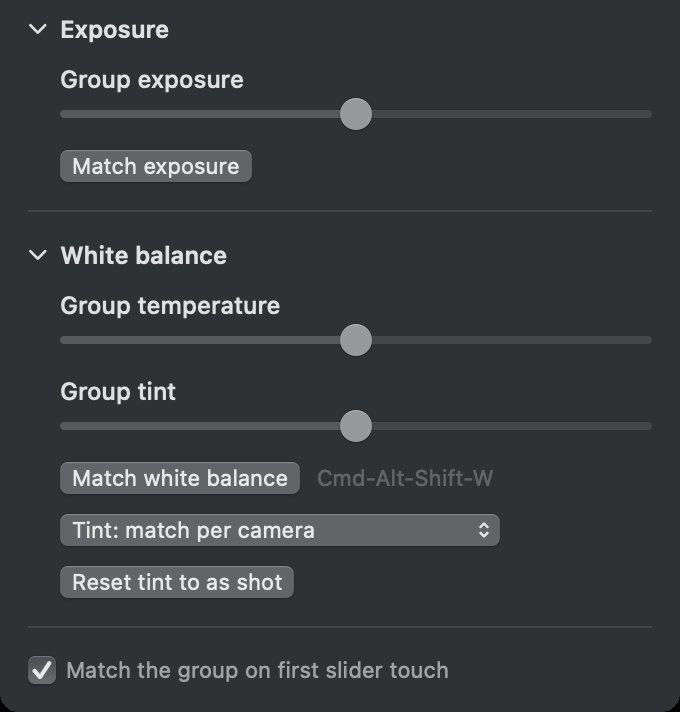
Built for more than one camera
Everything else gets a key too
Presets land on every selected photo in one undo. Upright, AI Denoise, crop ratios, masks (new, add, subtract and intersect for every mask type), ratings, flags, labels, views and zoom all take a key, along with the Lightroom menu items you reach for most.
Nothing to drop
RadKeys installs its own small Lightroom plug-in and talks to it through files rather than a network connection, so there is no connection to lose and nothing that can lock Lightroom up. If the plug-in isn’t running, the first key you press starts it.
Get it
For Lightroom Classic, macOS 14 or later. Signed and notarised, and it installs itself: double-click it on the disk image and it moves into Applications.
Built by GoodEye in Santa Cruz, California.